
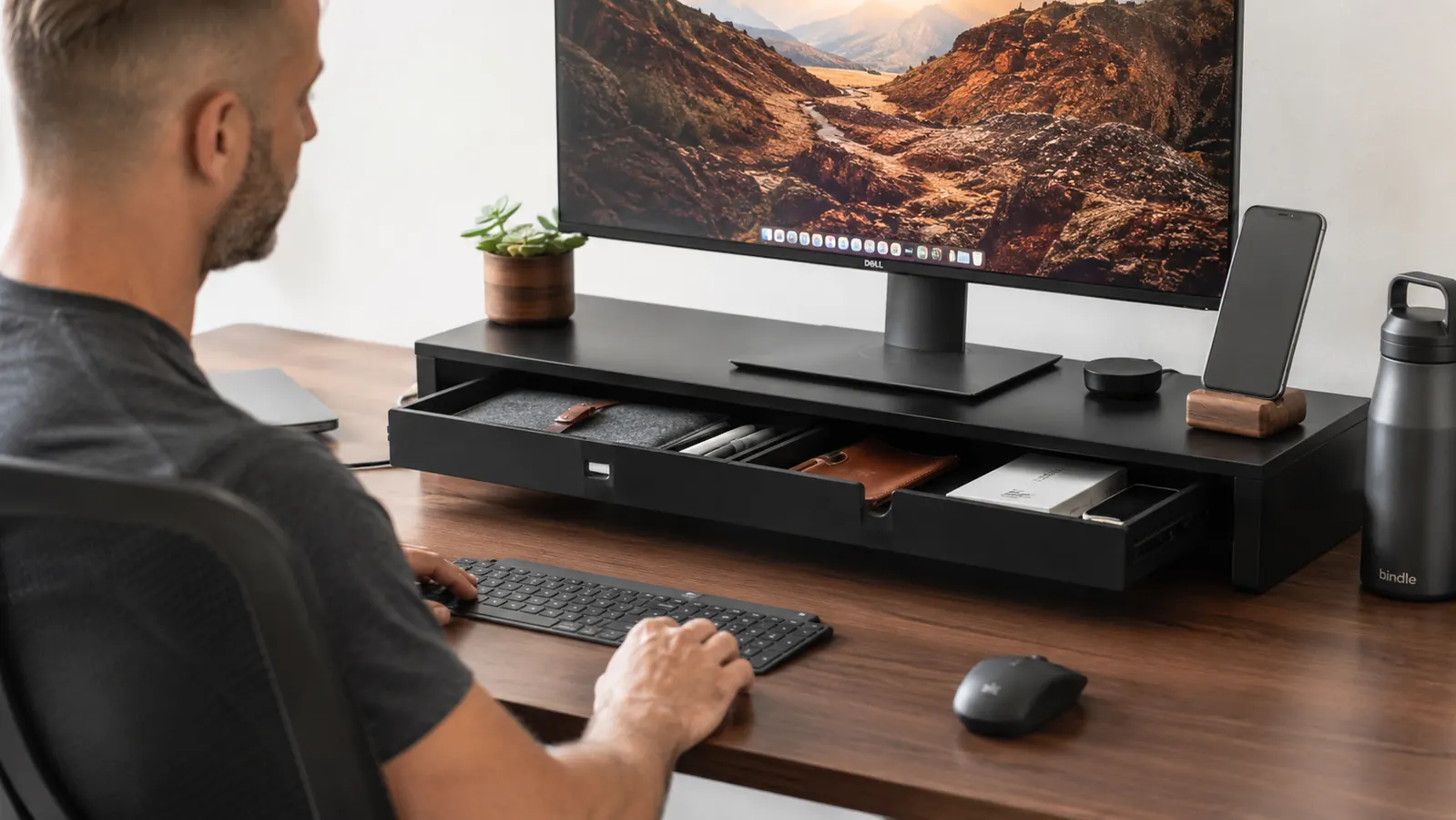
Three months ago my home office desk had the usual problem: my 27-inch monitor sat flat on the surface, my neck angled down all day, and every inch of space around the base was buried under a charging cable, two pens, a USB drive I could never find, and a stack of sticky notes that had lost their stick. I was not looking for a desk overhaul. I was looking for a budget fix. The WALI monitor stand riser with drawer is what I landed on, and I have used it on the same desk every single workday since then.
The WALI stand has a 4.7-star rating from over 15,000 Amazon buyers, which told me it was probably fine. What it did not tell me was how much the built-in drawer would change the daily rhythm of my desk. This review covers what three months of real use actually looks like, not just the unboxing.
The Quick Verdict
A genuinely useful monitor riser with a drawer that earns its desk space, especially if you have a small or cluttered home office surface. Not for ultrawide monitors or anyone expecting furniture-grade build quality, but for most home office setups it does exactly what it promises.
Amazon Check Today's Price →Your monitor is too low and your desk space is wasted. This fixes both at once.
The WALI monitor stand riser raises your screen to eye level and hides your everyday clutter in a built-in drawer. Rated 4.7 stars from over 15,000 buyers on Amazon.
Amazon Check Today's Price on Amazon →How I've Used It: The Setup and the Daily Reality
I set this up on a 55-inch IKEA LINNMON desk in my spare bedroom, which functions as my full-time home office. The desk surface is not deep, so every inch of space matters. My monitor is a 27-inch AOC display, weight around 12 lbs with the stand attached. The WALI riser handles it without any wobble or flex that I can detect.
Assembly was legitimately under five minutes. The four legs slot into the platform and lock with a rubber mallet tap, no tools required. I had it set up, my monitor moved onto it, and my keyboard tucked underneath before my coffee was cold. The platform surface has a raised lip along the back edge to stop the monitor from sliding, which I appreciated because my original positioning had the stand close to the back of the desk.
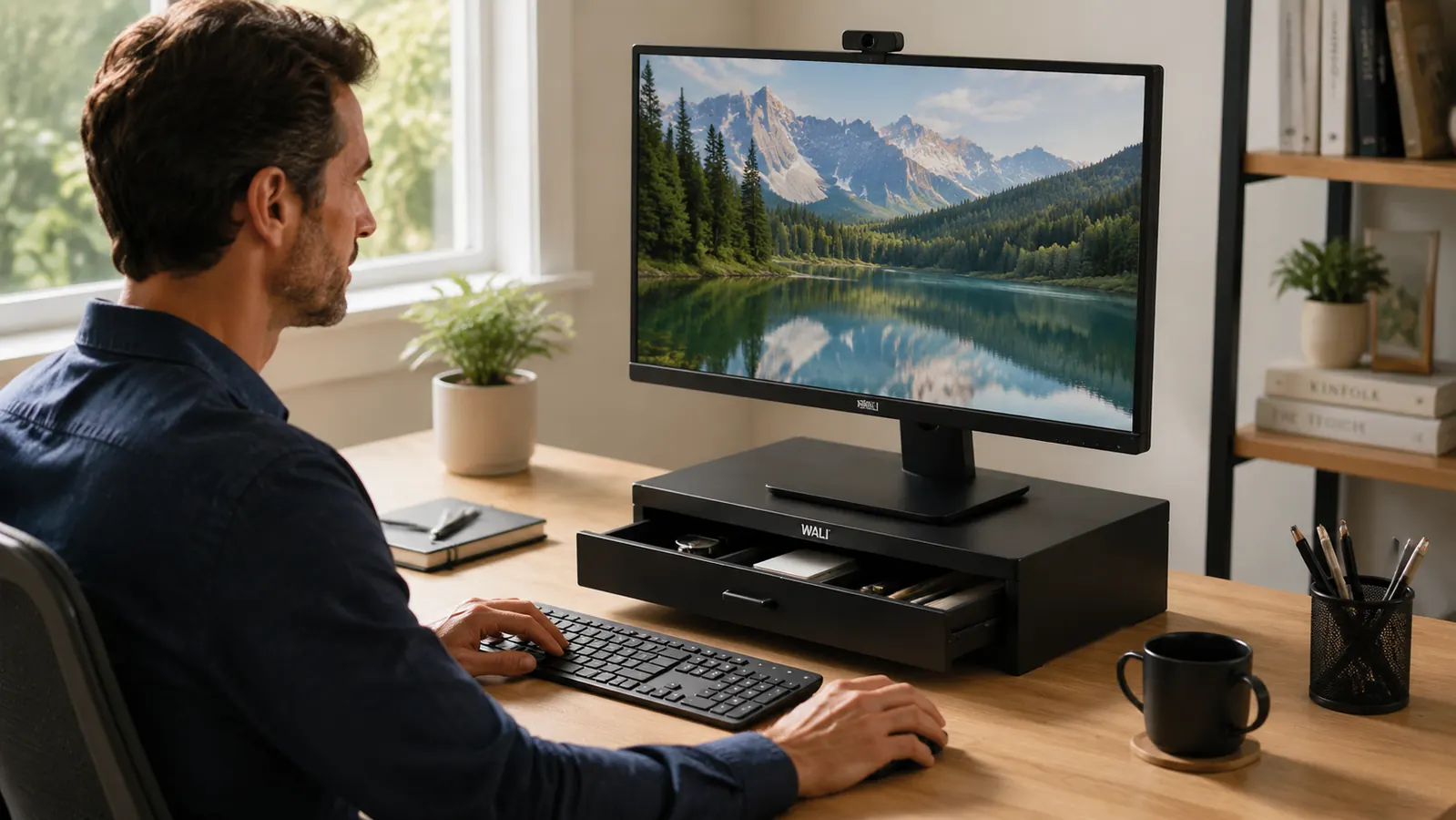
The drawer is the differentiator. It runs the full width of the stand, roughly 17 inches across and about 3 inches deep. It slides on smooth rails, no sticking or rattling when open. I keep a USB drive, a small notebook, my AirPods case, two pens, and a pair of reading glasses in there. That is six things that used to live on my desk surface, now invisible. The two pen holders on the outside of the stand hold two more pens. Small stuff, but it adds up across a workday.
The Screen Height Difference Is Real
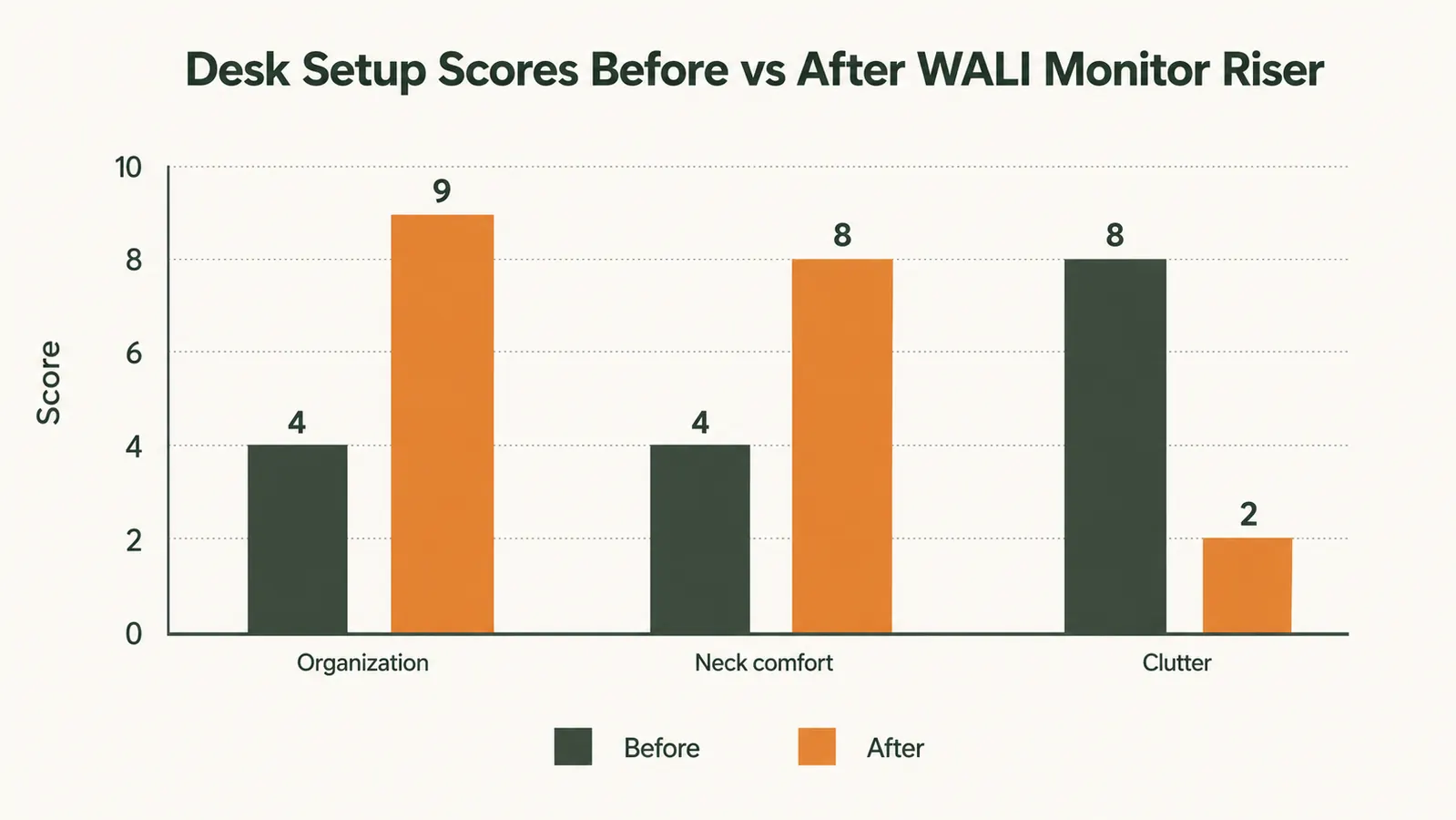
I measured. With my monitor sitting directly on the desk, the top of the screen was at 22 inches from the desktop surface. With the WALI riser underneath, the same monitor top sits at 26.5 inches. That is about 4.5 inches of lift, which sounds modest until you actually sit at it. My neck stopped pulling forward in the first week. I do not have a scientific explanation for exactly how much that matters, but I can tell you I stopped reaching for ibuprofen at 3 p.m. as often as I used to.
The riser also creates a usable channel under the monitor platform for my keyboard and mouse to slide under when I need to clear desk space for a notebook or a second device. On a small desk, that is not nothing. I use that feature more than I expected.
What the Drawer Actually Holds (And What It Won't)
The drawer is 17 inches wide, 10 inches deep, and about 1.5 inches tall. That depth is the limiting factor. Anything taller than a thick marker will not fit lying flat. I tested a small external hard drive in there and it was too tall to close the drawer. A slim USB hub fits fine. A phone lying flat fits. A Moleskine pocket notebook fits. A standard spiral notebook does not.
What the drawer is genuinely good for: pens, USB drives, small earbuds cases, sticky note pads, AA batteries, a spare charging cable coiled up, an SD card reader. Basically, the category of stuff that always gets lost on a desk surface. That is what it was designed for, and it handles that job well. If you are picturing it as a filing drawer for documents, you will be disappointed. But for desk clutter control, it works.
Six things that used to live on my desk surface are now invisible inside the drawer. That cleared about eight inches of usable desk real estate I had forgotten I owned.
Build Quality After Three Months: Honest Assessment
The WALI riser is made of MDF board with a laminate finish in a woodgrain pattern. Let me be straight with you: this is not solid wood. It is not furniture-grade. If you tap on it you can hear the hollow panel construction. I want to be clear about that because some people assume anything that looks like wood grain is actually wood.
That said, after three months of daily use, nothing has changed structurally. No leg wobble has developed. The drawer rails are as smooth as day one. The surface laminate has held up to a coffee mug sitting on it every morning. I did put a small felt pad under my coffee mug after week two because I was worried about ring marks, and I would suggest doing the same. The laminate is not heat-rated. Otherwise, it has been a stable, functional piece of furniture.
The legs are four individual black-finished legs that fit into sockets on the underside of the platform. They give the stand about 3.5 inches of clearance, enough for most slim keyboards and mice. I slide my keyboard and mouse tray under there when I take calls to reclaim the whole desk surface. The legs have felt pads on the bottom. They have not scratched my desk and they have not shifted position even once.
Monitor Weight and Size Limits
The platform is listed as supporting up to 33 lbs, which covers basically any monitor up to 32 inches. My 27-inch AOC at 12 lbs sits well within that range and I have noticed zero flex in the platform surface. A heavier 32-inch display would be fine. An ultrawide 34- or 38-inch monitor would likely overhang the platform footprint, which measures roughly 22 inches across and 9 inches deep. If your ultrawide has a centered stand base, it might fit. If it has a wide-legged stand, the legs may hang off the sides. Measure your monitor's stand base footprint before ordering.
For a single standard monitor, this is a non-issue. The WALI riser was clearly designed for the most common home office setup, which is one 24- to 27-inch monitor on a stand base. If that is your situation, you will not have a fit problem.
Alternatives I Considered
I looked at plain monitor risers in the same price range before buying this one. The main tradeoff is simple: a riser without a drawer costs a few dollars less and has a smaller profile, but you give up the storage. If your desk is already organized and you just need screen height, a plain riser makes sense. If you have the same clutter problem I had, the drawer pays for itself in desk real estate. I compared both options in detail at our monitor riser with drawer vs plain monitor stand article if you want to see that side-by-side analysis before you decide.
I also looked at monitor arms briefly. A monitor arm is a better solution for height and tilt adjustability, especially if you use multiple monitors or switch between sitting and standing. But a monitor arm requires a desk with a grippable edge, costs significantly more, takes real setup time, and does nothing for your desk clutter. For my situation, the WALI riser solved both problems for the same price as a fast food lunch.
The Pen Holders: Minor Feature, Surprisingly Useful
I almost did not mention these because they seem trivial. The WALI riser has two cylindrical pen holders mounted on the front face of the stand, one on each side. I rolled my eyes at them when I first assembled the stand. Three months later I use both of them. I keep a fine-tip Sharpie in one and a ballpoint pen in the other. The fact that I can grab a pen without opening a drawer or rummaging through a cup has saved me maybe 30 seconds per day. Across 60 workdays that is 30 minutes. That is not the headline feature but it is the kind of thoughtful detail that makes a product feel designed rather than assembled.
How It Fits a Full Desk Organization System
The riser is good, but it works best as part of a deliberate setup rather than a standalone fix. I paired mine with a cable management clip rail along the back of the desk and a small under-desk drawer unit for paperwork. Together these three things cleared my surface down to just the monitor, the keyboard, the mouse, and a speaker. If you want a full system for organizing around the riser, our desk organization guide using a monitor riser walks through the whole approach step by step.

What I Liked
- Raises the monitor to a genuinely better viewing angle, reduces neck strain noticeably
- Built-in drawer keeps small desk accessories off the surface and accessible
- Clean keyboard and mouse storage channel underneath when not in use
- Two pen holders on the front face are actually useful day to day
- Five-minute assembly, no tools needed
- Stable on the desk surface, no creep or wobble after three months
- Works with any standard 24- to 32-inch monitor on a base stand
Where It Falls Short
- MDF and laminate construction, not solid wood, do not mistake the wood-grain finish
- Drawer is only 1.5 inches tall, no room for a phone standing up or a thick external hard drive
- Platform footprint may be tight for ultrawide monitors with wide-legged stands
- Laminate surface is not heat-rated, a felt coaster under your coffee mug is a good idea
- No height adjustment, what you get is a fixed 3.5-inch lift
Who This Is For
The WALI monitor stand riser is the right call if you work at a single monitor on a home office desk and your desk surface is always more cluttered than you want it to be. It solves two problems at once: it raises your screen to a healthier viewing angle and it gives you a small, organized place to hide the everyday small items that pile up on any working desk. If your home office budget is limited and you need a single purchase that makes the biggest quality-of-life improvement, this is a strong candidate. Priced right, easy to set up, and it does not take up extra desk footprint because the monitor was going to sit somewhere anyway.
Who Should Skip It
Skip this if you use an ultrawide monitor with a wide-base stand and are not sure the base footprint will fit. Skip it if you already have a monitor arm, because you do not have a base sitting on the desk to put this under. Skip it if you need a height-adjustable riser, as this is a fixed-height product. And skip it if you need serious storage capacity under your monitor. A small laptop drawer unit or desktop organizer mounted separately will give you far more room for documents and larger accessories. The WALI drawer is a convenience feature for small items, not a file cabinet.
Small desk, big clutter problem? This is the budget fix that actually sticks.
The WALI monitor stand riser raises your screen to a comfortable height and gives you a built-in drawer for all the small stuff taking up your desk surface. Over 15,000 Amazon buyers rated it 4.7 stars. Check what it is going for today before you decide.
Amazon Check Today's Price on Amazon →