
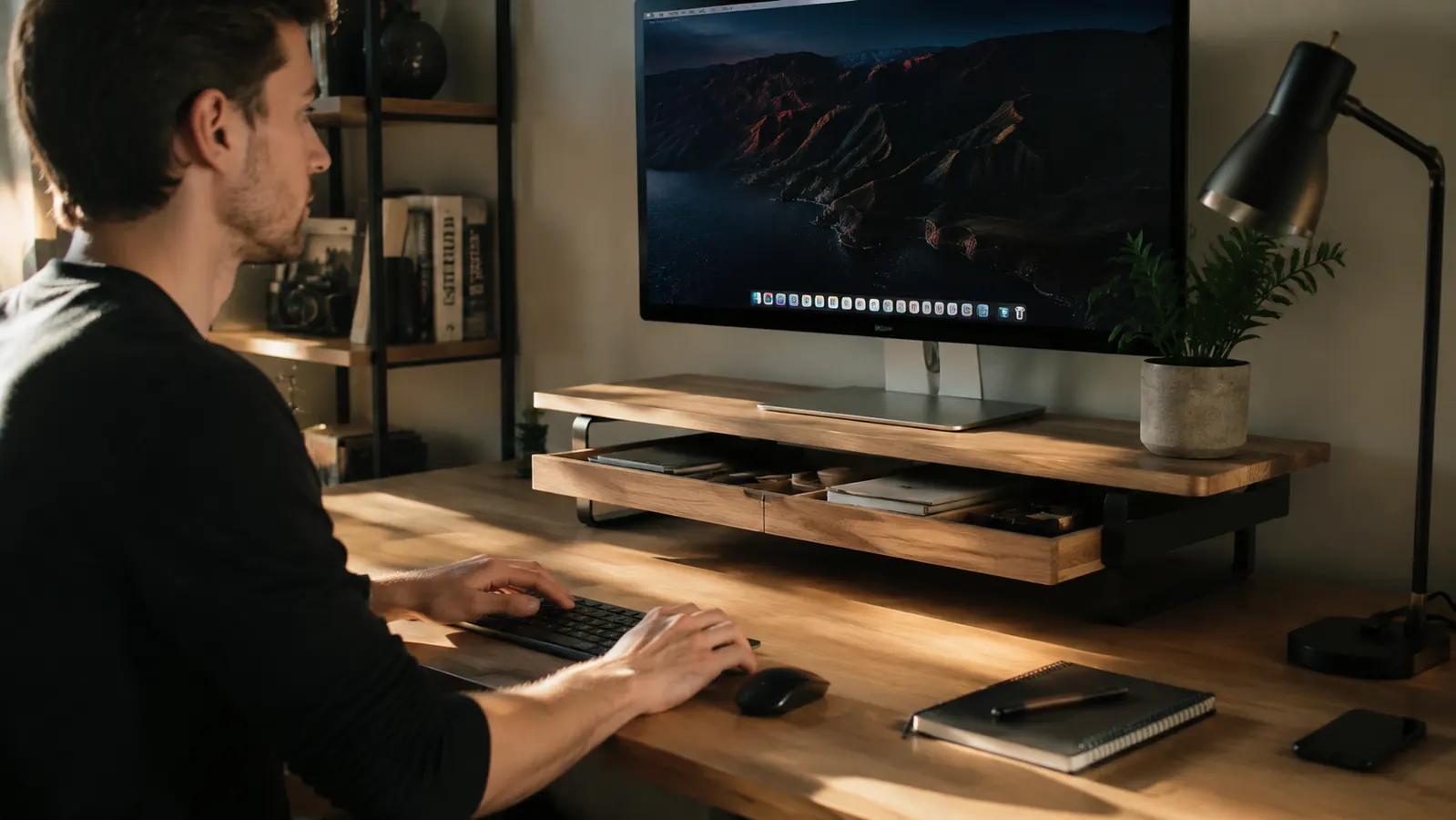
I bought my first monitor riser because my neck hurt. I was looking down at my screen all day, and by 3pm I had a knot in my shoulder that wouldn't quit. The riser fixed the neck problem in about two days. But the thing I didn't expect? It also fixed my desk. Once the monitor was up off the surface, I suddenly had this open shelf underneath it, two pen holders on the sides, and a sliding drawer that swallowed half the junk I'd been stacking around my keyboard. The WALI Monitor Stand Riser with Drawer is the one I landed on after trying a few, and it costs well under list. Here are ten specific ways it reorganizes a home office desk, beyond just moving your screen up a few inches.
If your desk looks like a staging area for things you haven't put away yet, this single piece of gear handles more of that problem than you'd expect from something this cheap. It has a 4.7-star rating across over 15,000 reviews, which tells you people who actually bought it are happy they did.
Your desk is messier than it needs to be. This riser fixes more of it than you think.
The WALI Monitor Stand Riser with Drawer and 2 Pen Holders has 4.7 stars from over 15,000 buyers. Lifts your screen, adds a drawer, clears your desk surface. Check today's price on Amazon.
Amazon Check Today's Price on Amazon →It Puts Your Monitor at the Right Height
This is the obvious one, but it matters most. When your monitor sits flat on the desk, the top of the screen is usually below eye level and you spend the day looking down. The WALI riser lifts your display to a height where your neck stays neutral. I noticed the difference the first afternoon. Raising the screen is what you buy it for, and it does that job well with a stable, non-wobbly platform that holds up to 33 lbs.
The Drawer Hides the Small Junk That Always Piles Up
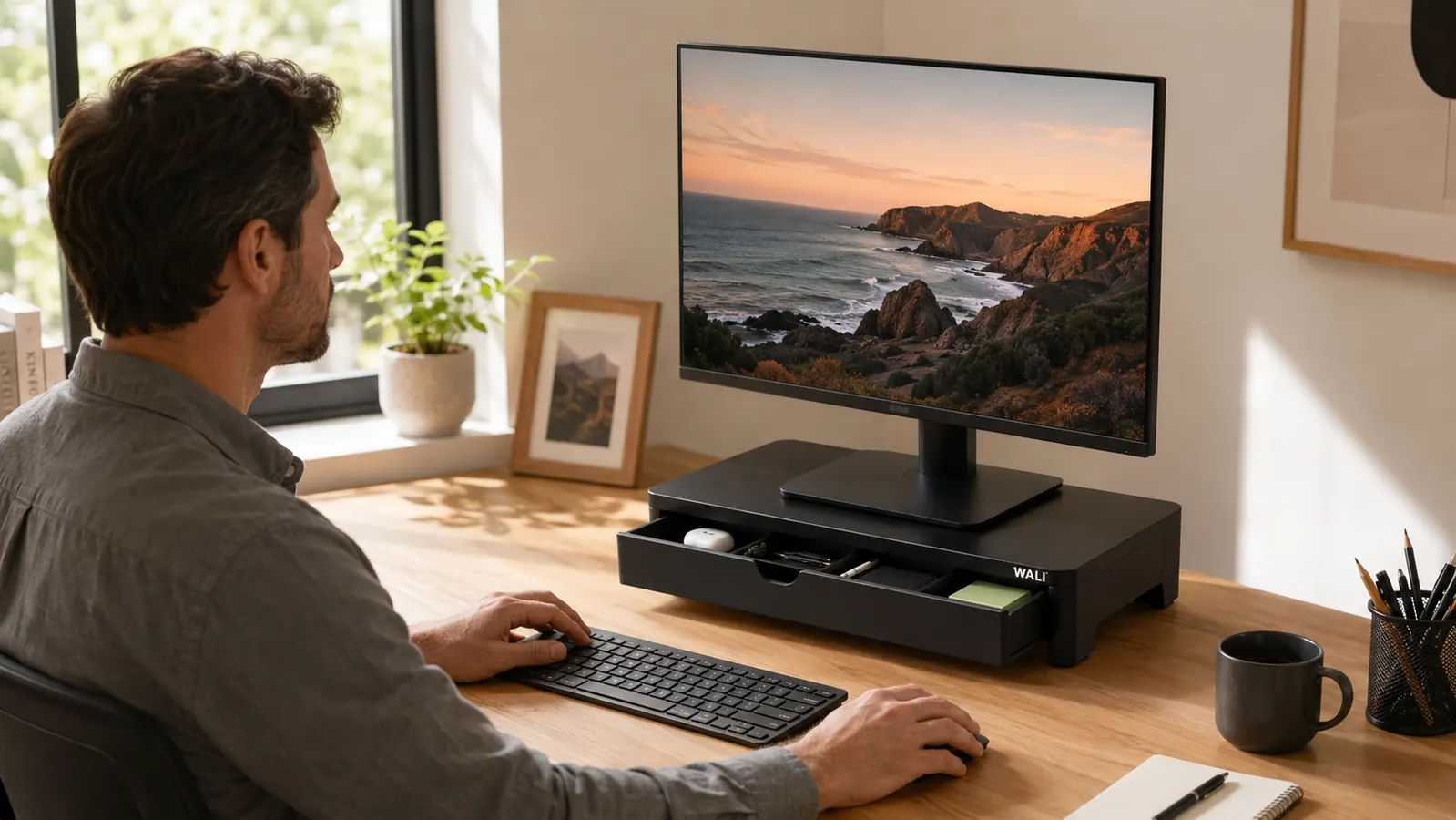
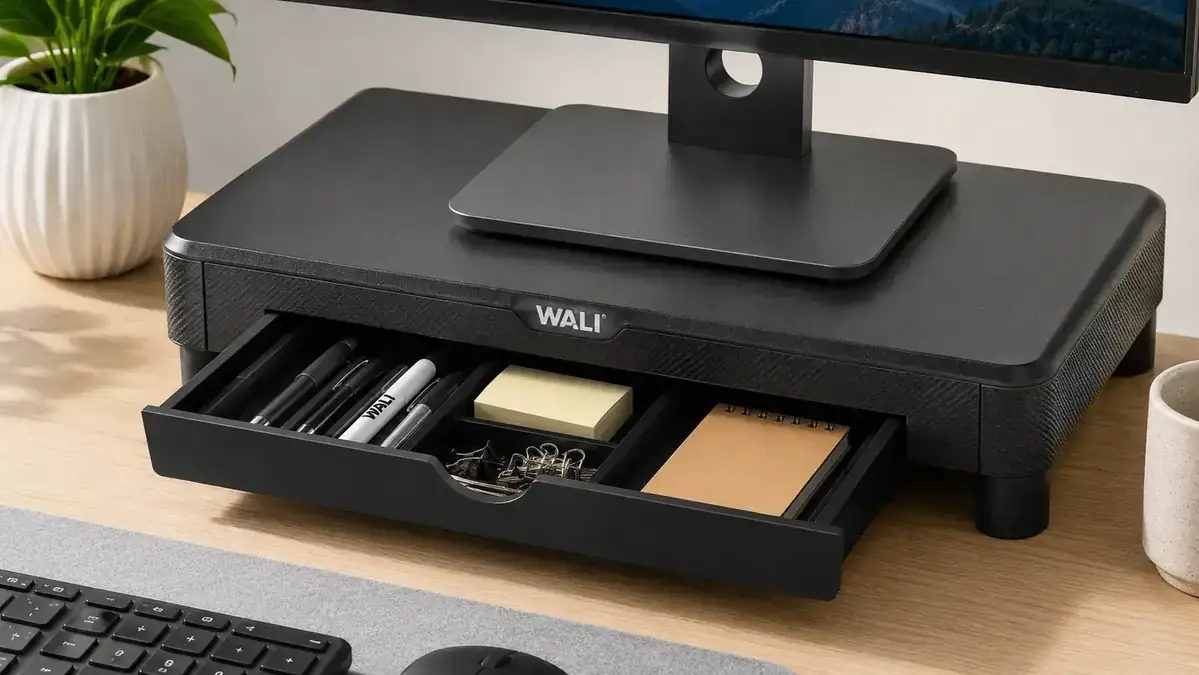
You know what lives on most home office desks? A USB drive, some sticky note pads, an extra charging cable, maybe a paper clip or two, a pen cap with no pen. The built-in drawer on the WALI riser handles all of it. It slides out smoothly and holds enough to clear the random clutter without looking like a drawer stuffed full. Out of sight, still within reach. That's the whole point.
The Two Pen Holders Actually Get Used
I was skeptical about the side pen holders. Turns out I use them every single day. One holds three pens and a stylus. The other holds my scissors and a letter opener. Before the riser, those things lived in different corners of my desk and I was always looking for them. Now they're right there, attached to the riser, taking up zero desk real estate. Small thing, adds up fast.
The Open Shelf Underneath Becomes Prime Real Estate
When the monitor goes up, the desk surface under the riser becomes usable space. That open shelf is wide enough to hold a small keyboard when it's not in use, a tablet lying flat, or a notebook you reference frequently. On my desk, I keep my wireless charging pad under there and run the cable out the back. It's hidden from view but completely accessible. That's square footage you weren't using before.
It Creates a Logical Anchor Point for Your Whole Desk Layout
Before the riser, my desk was just a flat surface with stuff scattered across it. Once the riser went in, the whole desk organized itself around it. Monitor centered and raised, keyboard in front, drawer to the left, pen cups on the right. Everything found a natural position because there was now a clear focal point. This sounds like an overstatement but it's just how it works in practice.

Cables Get Tidier Without Any Extra Cable Management Gear
The open-back design of the WALI riser means you can route monitor cables, power cables, and USB cords through the back channel and drop them off the back of the desk. No cable clips, no velcro ties, no zip-tie bundles. The riser naturally creates a path for cables to disappear behind it. Not a perfect cable management system, but it's meaningfully better than cables lying across your desk surface.
It Keeps a Second Device at the Right Height for Video Calls
If you run a laptop next to your main monitor, the riser can prop the laptop up at a more natural camera angle for video calls. Put the laptop on top of the riser surface alongside the monitor and your webcam or laptop camera is suddenly at a much more flattering height than when it's sitting flat on the desk below eye level. This is a genuinely useful side effect if you're on calls frequently.
The Footprint Is Smaller Than It Looks in Photos
I was worried the riser would take over my desk. It didn't. The WALI's footprint is sized to hold a standard monitor without overhanging unnecessarily on either side. The depth is modest enough that the keyboard tray in front stays comfortable. On a desk that's 48 inches wide, you barely notice the riser is there, which is exactly what you want from a piece of organizational furniture.
The Finish Doesn't Look Cheap
At this price point, you might expect something that looks like it came from a discount bin. The WALI riser has a clean, dark surface finish that photographs well and holds up to daily use. It doesn't mark easily, doesn't wobble when you open the drawer, and doesn't make your desk look like you bought something from an office supply store going out of business. It looks like it belongs on a real work desk.
It Costs Less Than a Desk Organizer That Does Half as Much
A basic bamboo desk organizer with a few slots costs fifteen to twenty-five dollars and holds pens and maybe a phone. The WALI riser costs about the same and handles your monitor height, a sliding drawer, two pen holders, and an open shelf underneath. The value comparison isn't close. If you're going to spend money on desk organization, buy the thing that solves more problems per dollar.
Once the monitor was up, the whole desk organized itself around it. That's the thing nobody tells you about a monitor riser: the organization part is almost automatic.
What I'd Skip
If you have an ultrawide monitor that's 30 lbs or heavier, check the weight rating before buying. The WALI riser handles up to 33 lbs, which covers most standard monitors, but a large ultrawide on the heavy side is cutting it close. For those setups, a dedicated monitor arm is the better call. Also, if you genuinely need deep drawer storage, like a full file drawer, this isn't that. The drawer holds small items. It's not a file cabinet. If you want deeper desk organization, pair this riser with the how-to guide on organizing your desk with a monitor riser for the full system. And if you're still deciding between a riser with storage and a plain flat monitor stand, the comparison article on monitor riser with drawer vs plain monitor stand lays that out clearly.
If your desk has more stuff than space, this is where I'd start.
The WALI Monitor Stand Riser with Drawer and 2 Pen Holders. Lifts your screen, hides your clutter, holds your pens. 4.7 stars from 15,000+ buyers. Check today's price on Amazon.
Amazon Check Today's Price on Amazon →