
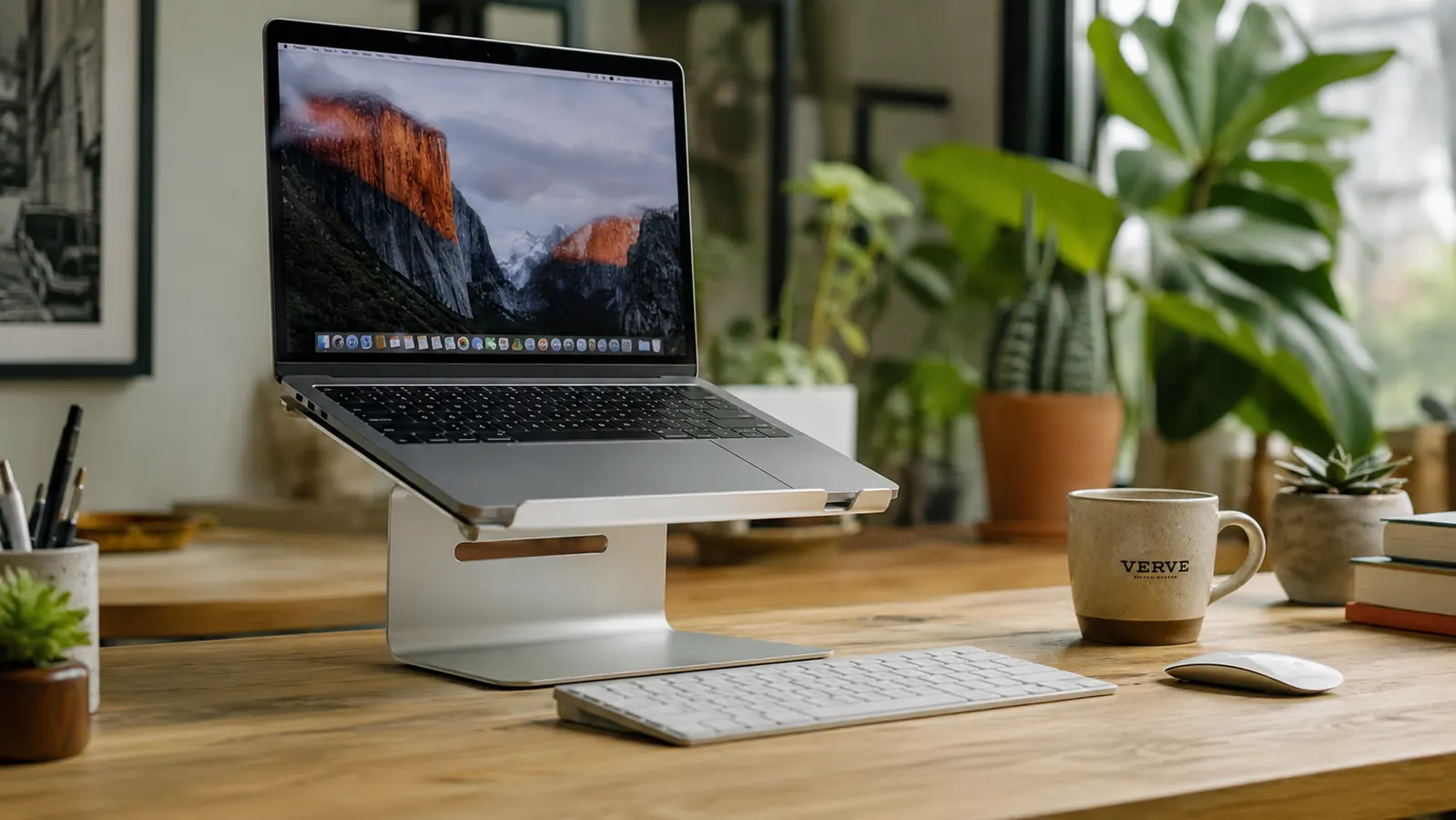
The first laptop stand I bought was inexpensive on Amazon. It was white ABS plastic, adjustable to six height positions, and had four little rubber feet on the bottom. It looked fine in the product photos. Within nine days the hinge was creaking every time I adjusted it, one of the rubber feet had popped off, and the plastic platform flexed visibly when I pressed on it. The BESIGN LS03 aluminum laptop stand costs roughly twice that. I bought it after the plastic one failed, and the difference in how these two stands behave is not subtle. It is not even close.
The BESIGN LS03 is a single-piece aluminum riser with a fold-flat design, rubber grip pads on the platform, and a continuous-adjust hinge at the rear. It holds laptops from 10 to 16 inches, currently sits at 4.8 stars across more than 23,756 Amazon reviews, and comes in at a budget-friendly price. I have used it daily for five months on a 15-inch Dell XPS. This review is specifically about why the material choice matters and what the experience is actually like compared to a cheaper alternative.
The Quick Verdict
The BESIGN LS03 is not just a better laptop stand than plastic alternatives. It is a categorically different experience. The aluminum is rigid where plastic flexes, stable where plastic creaks, and cool-running where plastic traps heat. For the price, it is the clearest upgrade in home office gear I have made.
Amazon Check Today's Price →If your laptop stand wobbles, creaks, or feels cheap, you bought the wrong material.
The BESIGN LS03 is solid aluminum, budget-friendly, and has 23,000+ reviews at 4.8 stars. The build quality gap between this and a plastic stand is immediately obvious the moment you touch it.
Amazon Check Today's Price on Amazon →How I've Tested Both Stands
I work from a converted spare room with a 55-inch desk I bought from Target three years ago. My laptop is a 15-inch Dell XPS 15 that weighs 4.5 pounds. I mention the weight because heavier laptops amplify every weakness in a stand. A cheap stand that seems acceptable under a thin MacBook will wobble and flex noticeably under a full-size Windows machine. That was exactly my experience with the plastic stand. The XPS would rock slightly when I typed on the laptop keyboard, which made the whole setup feel unstable.
I switched to the BESIGN LS03 in January and have used it through two full months of heavy video editing work and three months of standard writing and communication. I also travel with it occasionally for client meetings, and it has spent time in a backpack and a messenger bag. I did not run benchmark tests or use a thermometer. What I can tell you is what daily use feels like over time, where the stand holds up, and where it has real limitations that most reviewers skip over.
For the record: I still have the plastic stand sitting in a drawer. I have used it as a direct comparison reference several times since switching, including the week I was writing this.

What Plastic Stands Get Wrong
Plastic laptop stands fail in three specific ways that the marketing never mentions. First, the hinges. Most plastic stands use a ratchet-style hinge with a small number of discrete positions. Those hinges rely on plastic teeth locking into each other. After a few weeks of adjusting, the teeth wear down and the hinge gets looser. The stand eventually won't hold its chosen angle under the weight of the laptop. This is not a manufacturing defect. It is what plastic does under repeated load.
Second, the platform flexes. ABS plastic is not rigid under point loads. When you set a 4-pound laptop on a plastic stand and press on the keyboard, the platform absorbs some of that force by bending slightly. It is a small movement, but you feel it as instability. On a hard surface like a wooden desk, that flex creates a faint clicking sound as the stand settles. It is subtle the first week and annoying by week three.
Third, plastic stands trap heat underneath the laptop. The cheaper designs have a solid platform with small cutouts, which means the bottom of the laptop sits close to a surface that does not conduct heat away. Aluminum is a thermal conductor. An aluminum platform actively draws a small amount of heat from the laptop base and dissipates it into the surrounding air. The BESIGN's large platform cutout does most of the work, but even the frame itself helps. If you run a laptop that throttles under sustained load, this is not a trivial distinction.
Where the BESIGN LS03's Aluminum Actually Shows Up
The rigidity is the thing you notice immediately. I placed the XPS on the BESIGN stand on day one, pressed down on the laptop with both hands, and the stand did not move at all. Not a millimeter of flex. The platform is formed from a single piece of aluminum, not assembled from stamped metal parts, so there are no seams to work loose. The stability this creates is the kind of thing you do not consciously notice after a while, which is exactly what you want from a stand. You stop thinking about it because it just works.
The hinge is continuous, not ratcheted. You angle it where you want by pressing down and dragging the laptop to your preferred position. There is enough friction in the hinge that the stand holds that angle under load without slipping. After five months, the friction feels identical to day one. I was expecting some loosening. It has not happened. The hinge mechanism appears to be metal on metal with a tension screw, not a plastic tooth arrangement, which is why it stays consistent.
The rubber grip pads are one of those details that look minor until you compare them to a plastic stand. On the BESIGN, the pads are seated in recessed channels machined into the aluminum platform. They cannot peel or shift. On the plastic stand I tested first, the pads were adhesive-backed foam dots applied to the surface. Two of the three contact pads had partially lifted by the end of the first month, creating uneven laptop support and leaving adhesive residue on the laptop's underside.
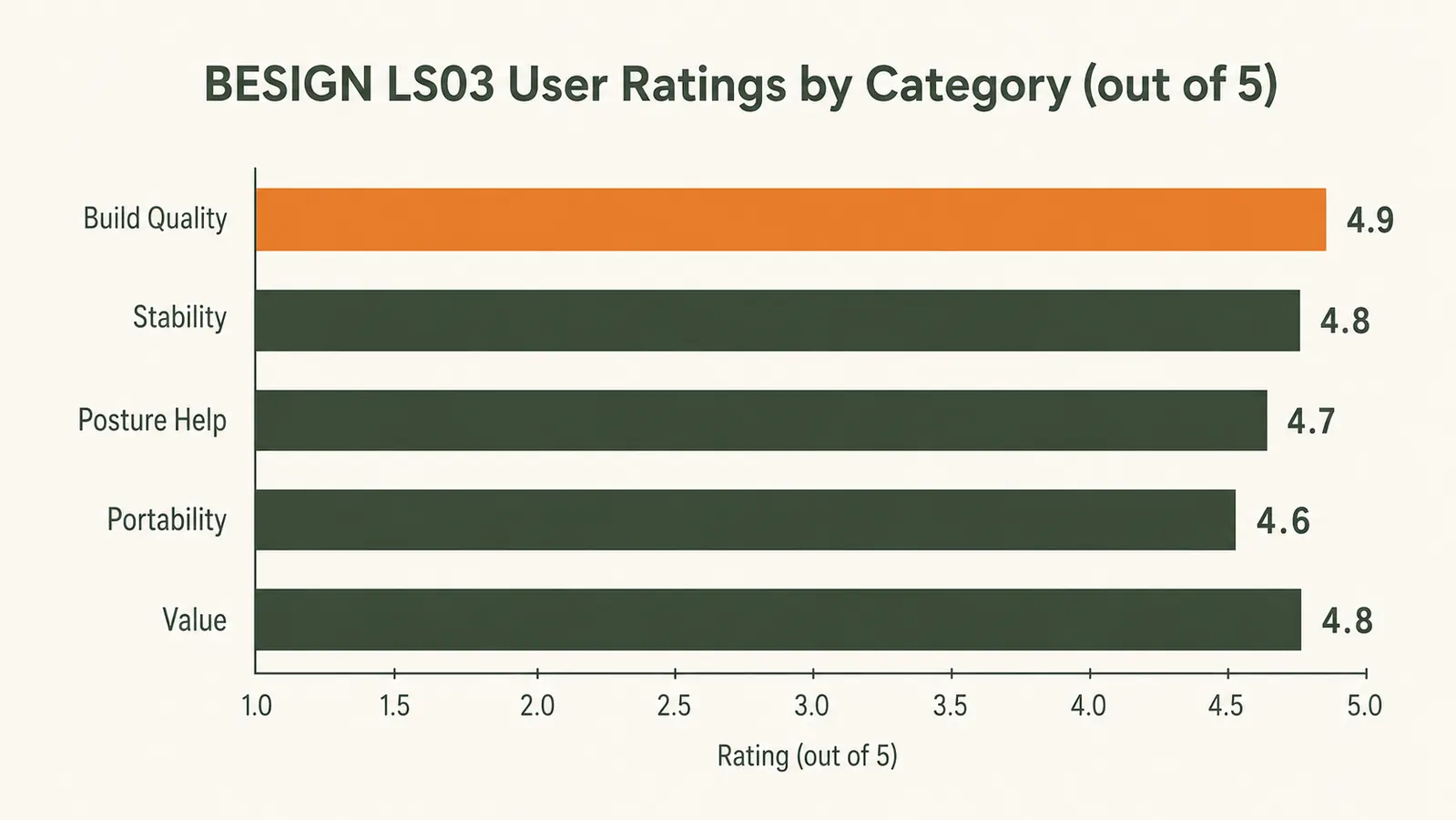
The Ventilation Argument Is Real, Not Marketing
My Dell XPS 15 has a cooling system that relies partly on airflow through the bottom panel. When the laptop sat flat on the desk, the bottom vents were partially blocked by the desk surface. When I used the plastic stand, the platform was mostly solid and the airflow improvement was marginal. On the BESIGN LS03, the platform has a large central cutout that spans most of the laptop's length. The laptop bottom is fully exposed to moving air on all sides.
During a sustained video rendering session in February, the XPS fan would spin up to audible levels within about eight minutes when sitting flat. On the BESIGN stand, that same render took roughly eleven minutes before the fan reached the same RPM level. I did not measure this with monitoring software. I was judging by ear and by the surface temperature of the palm rest. The difference was consistent enough over multiple sessions that I stopped treating it as a coincidence. If you run a laptop with an active fan, an elevated stand with open airflow underneath will reduce sustained throttling.
The plastic stand lasted nine days before the hinge started creaking. The BESIGN is on month five with no change in feel, no creak, no wobble. The material difference explains the reliability gap entirely.
What Nobody Tells You About the Height Adjustment
Most reviews call the BESIGN LS03 fully adjustable and leave it there. Here is what that actually means in practice. The stand has one hinge at the rear that changes the platform's tilt angle. As you increase the angle, the front edge of the laptop rises and the back edge rises further. There is no secondary adjustment for the front. This means the amount of height increase you get is determined entirely by how steep you set that single hinge angle.
For me at 6 feet tall, sitting in a standard office chair, the hinge at roughly 35 degrees gets the top of the XPS screen to about two inches below eye level. That is close enough to eliminate forward head tilt for most tasks. But if you are working at a counter-height surface, or if you are notably taller than average, the stand's maximum angle may not get the screen high enough. In those situations, you would need to put the stand itself on a small riser or book, which works but looks awkward. This is a real limitation worth knowing before you buy.
One other height note: the stand is designed for use with an external keyboard. Once the laptop is elevated to a useful screen height, the built-in keyboard is at an uncomfortable angle for extended typing. Plan to use a separate keyboard. That is not a flaw in the stand. It is just the ergonomic reality of raising a laptop screen to eye level. For the full picture of how to build the rest of the setup around a stand like this, the laptop stand vs monitor arm guide walks through the trade-offs clearly. And the long-term BESIGN review covers the day-to-day experience in more detail if you want a deeper look at the first seven months.
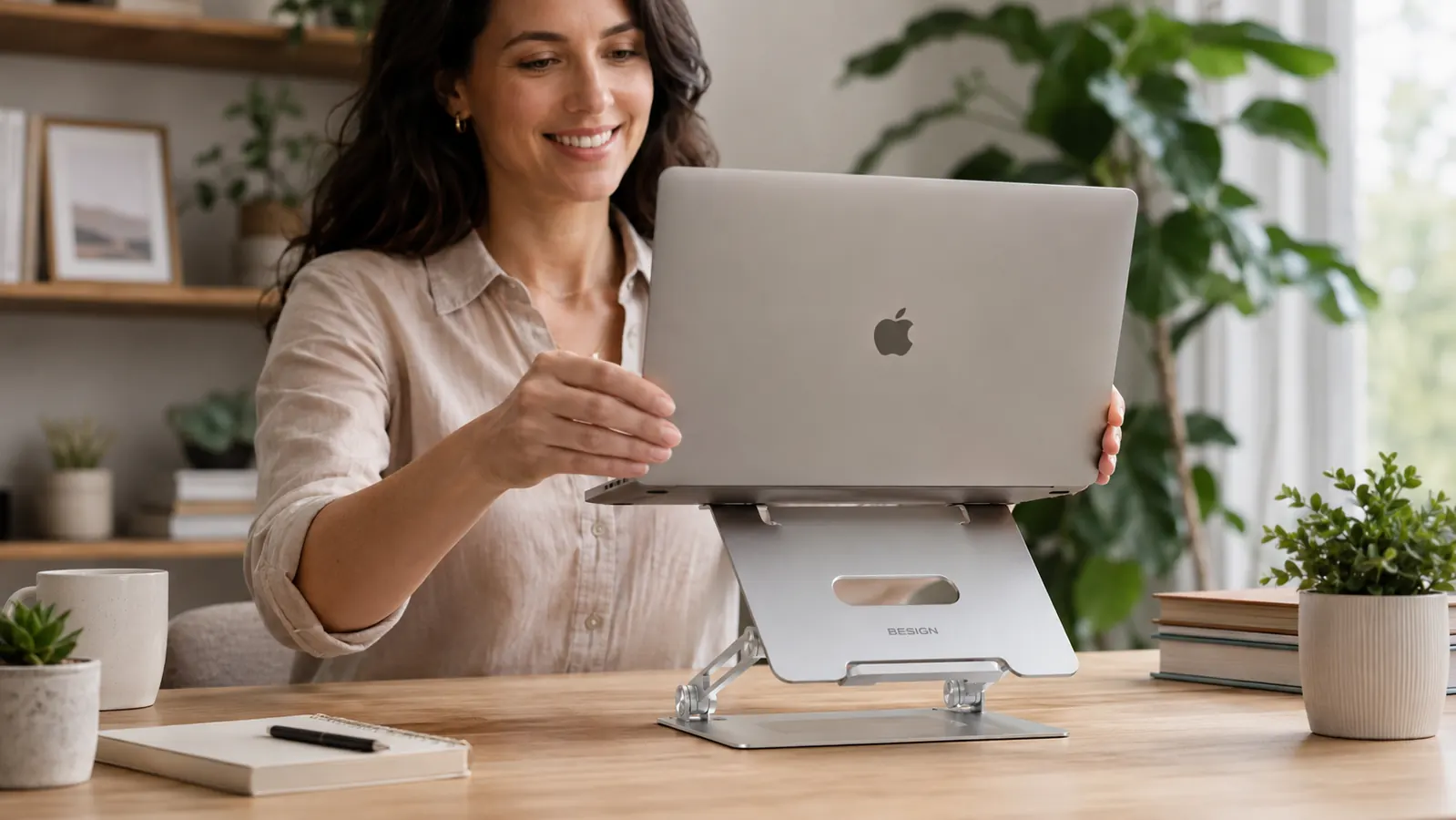
Build Longevity: What Five Months Looks Like
After five months of daily use plus occasional travel, the BESIGN LS03 shows surface scratches on the aluminum where the laptop edge has slid across it during placement. There are two small scuffs from being loose in a bag on a flight. The brushed finish hides most of these unless you are looking for them in direct light. Nothing structural has changed. The hinge is the same, the pads are the same, and the platform is the same. I have not tightened any screws. I have not cleaned it with anything except a dry cloth.
Compare this to the plastic stand at its nine-day mark, when the hinge was already making noise. The aluminum construction simply has more years of reliable use ahead of it. If you average the per-day cost over two or three years of real use, the BESIGN is the cheaper option despite the higher purchase price. The plastic stand I bought is probably headed for the trash. The BESIGN is not.
The Specific Complaints Worth Naming
The stand is wide enough for laptops up to 16 inches, but narrower laptops sit with a lot of unused platform on the sides. This is not a functional problem, just an aesthetic one. The stand looks slightly oversized with a 13-inch machine on it. Wider is safer from a stability standpoint, so I consider this a reasonable design choice, but it is worth knowing if you are sensitive to how the setup looks.
The fold mechanism is a two-step process: you tip the platform forward and then fold the base legs inward. It takes about five seconds and becomes instinctive quickly. But it is not as fast as a stand that folds in one motion, which matters if you pack up and move frequently. For the desk-only user who never moves the stand, this is irrelevant.
There is also no cable management built into the stand. The charging cable for the laptop hangs off the back or side and sits on the desk surface. A plastic sleeve or velcro tie handles this easily, but the stand does not include one. Minor, but it comes up enough in Amazon questions that it is worth flagging.
What I Liked
- Single-piece aluminum construction eliminates flex, wobble, and creaking entirely
- Continuous-adjust hinge maintains its friction through five months with no loosening
- Rubber grip pads are machined into recessed channels, not adhesive-backed, so they stay put
- Large platform cutout allows real airflow under the laptop, reducing sustained fan noise
- Folds flat for travel and fits in a laptop bag sleeve without issue
- 4.8-star rating across 23,000+ reviews holds up under real-world scrutiny
Where It Falls Short
- Single hinge limits the height ceiling, may not reach true eye level for taller users at standard desk height
- Requires an external keyboard and mouse once laptop is raised to a useful screen height
- No cable management features built into the frame
- Aluminum surface shows scratches more visibly than dark plastic alternatives

Who This Is For
Buy the BESIGN LS03 if you use a laptop as your main work computer, you already have or are willing to add an external keyboard and mouse, and you want a stand that will still feel solid in three years. It is especially right for people who have already tried a cheap plastic stand and been disappointed. The material difference resolves every complaint about hinge loosening, wobble under keystroke impact, and adhesive grip pads lifting. If you run a performance laptop that throttles under load, the airflow improvement alone justifies the price.
Who Should Skip It
Skip this stand if you are taller than about 6'2" and sit at a standard 30-inch desk, because the maximum height angle may leave the screen still slightly below ideal eye level. In that case, look at a stand with a taller fixed riser or an adjustable arm mount. Also skip it if you need precise, numbered height positions you can return to repeatedly between multiple users, since the continuous hinge has no position markers. And skip it if you already use an external monitor in clamshell mode. A stand designed for screen elevation serves no purpose when the laptop lid is closed.
Five months in, this stand has not budged, creaked, or loosened by a single degree.
The BESIGN LS03 is the laptop stand I recommend when someone asks me to stop wasting money on plastic. It is budget-friendly, aluminum all the way through, and backed by 23,000+ honest reviews at 4.8 stars.
Amazon Check Today's Price on Amazon →