

Seven months ago I was ending every workday with a stiff neck and tight shoulders. My 13-inch MacBook Air sat flat on the desk, and I spent eight hours a day tilting my head down to see the screen. I tried adjusting my chair. I tried moving the desk. Nothing helped until a coworker mentioned he had been using a budget aluminum laptop stand and his neck pain had mostly disappeared. I ordered the BESIGN LS03 that same afternoon. I have used it every single workday since, and it is the cheapest thing I have ever bought that actually fixed a real problem.
The BESIGN LS03 is a simple aluminum laptop riser with an adjustable-angle hinge, rubber grip pads, and a hollow platform that lets your laptop breathe. It holds laptops from 10 to 16 inches, folds completely flat for travel, and weighs just under a pound. At current price it is budget-friendly. It has 23,756 Amazon reviews and a 4.8-star rating. Those numbers got my attention, but I wanted to find out what seven months of actual daily use looked like before recommending it to anyone.
The Quick Verdict
A genuinely well-built aluminum laptop stand that solves the neck-pain problem for most home office workers. The adjustability is limited to one hinge angle, but for the price it is hard to argue with the build quality or the results.
Amazon Check Today's Price →Your neck is paying the price for a problem you haven't fixed yet.
The BESIGN LS03 is budget-friendly, folds flat for travel, and has 23,000+ reviews at 4.8 stars. If you use a laptop at a desk, this is the upgrade to make first.
Amazon Check Today's Price on Amazon →How I Have Used It
I work from a 47-inch IKEA LINNMON desk in my second bedroom. My setup is a 13-inch MacBook Air M2 paired with a wired mechanical keyboard and a basic Logitech wireless mouse. Before the stand, the laptop sat flat on the desk surface about 18 inches in front of me, putting the top of the screen roughly 6 inches below eye level. That gap sounds small. Over eight hours it becomes a chronic problem.
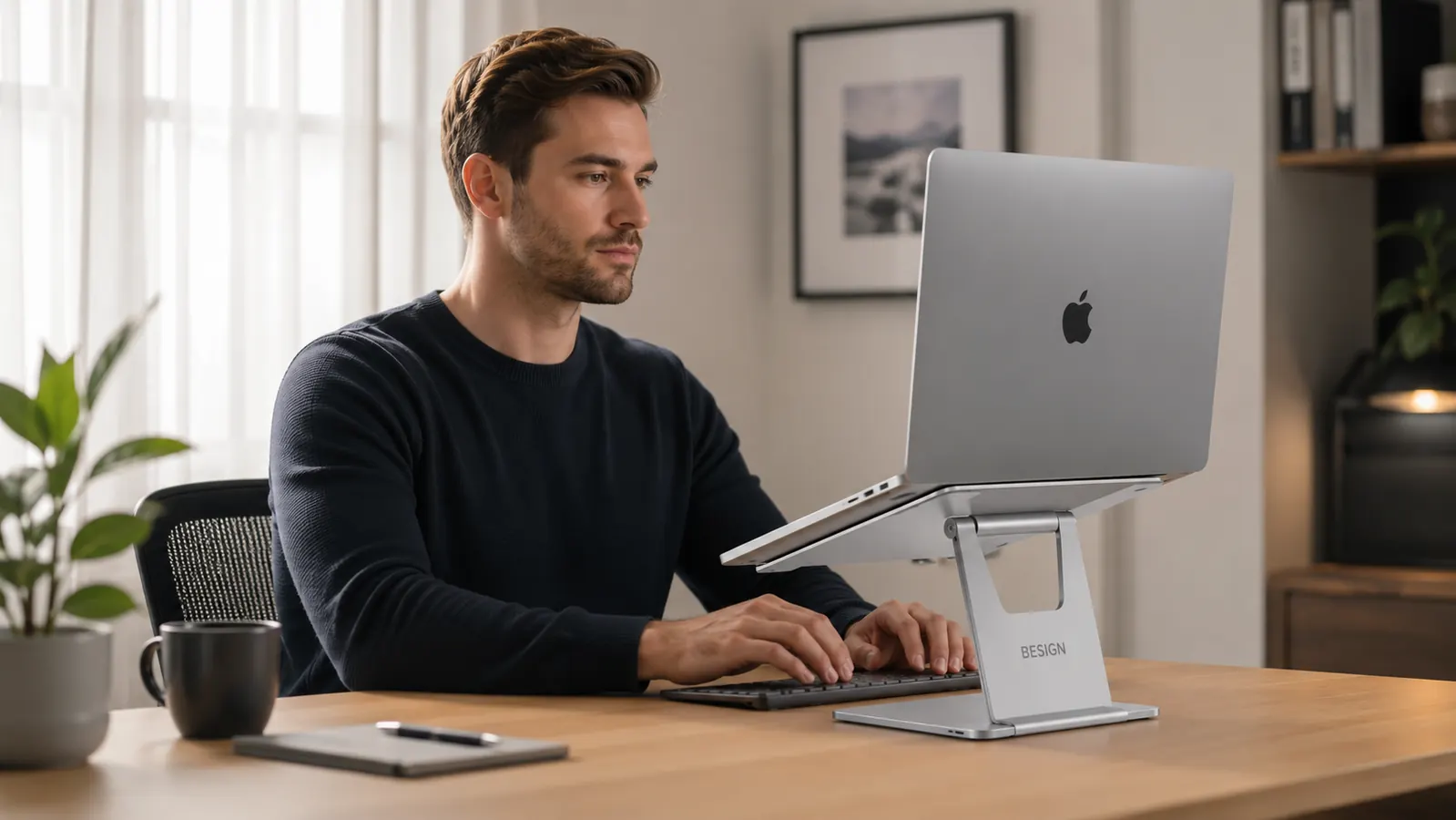
I set the BESIGN LS03 to the middle height position when I first took it out of the box, placed the laptop on the rubber pads, pushed the keyboard underneath, and started a four-hour work session. The change was immediate. The screen moved up to within a couple of inches of eye level and I stopped rounding my upper back. By the end of that first week I noticed I was not reaching for my neck at 5pm. By the end of the first month, the habit of adjusting my posture every twenty minutes had mostly disappeared because I no longer needed to.
Over the following months I took the stand to a coffee shop twice, tossed it in my bag for a week-long trip, and used it on three different desks in the house. The fold mechanism has not loosened at all. The rubber pads show no sign of cracking. The aluminum has a few minor surface scratches from being in a bag, but structurally the stand feels exactly like it did on day one.
Build Quality and Materials
The LS03 is made from a single piece of formed aluminum with a brushed finish. It is not hollow sheet metal that flexes when you press on it. The platform feels solid. When I place my 2.7-pound MacBook on it and type on an external keyboard, there is zero wobble. The stand does not shift on the desk surface because the base has two long rubber strips that grip whatever it is sitting on.
The hinge at the back is the part I was most skeptical about before buying. Cheap laptop stands often use a friction hinge that loosens over time, and the laptop starts drooping to a lower angle over months of use. The BESIGN LS03 hinge has stayed firm through seven months of daily adjustment. It takes a deliberate push to change the angle, which means the laptop is not going to slowly drift down on its own.
The rubber grip pads on the platform are molded into channels in the aluminum, not just glued on top. That matters because glued pads peel away. Mine have not moved. The pads hold the laptop without scratching the bottom, and they prevent any sliding even when I bump the desk.
Seven months in, the hinge is just as firm as day one, the rubber pads have not budged, and my neck stopped hurting in the first week. For the low price, that is a genuinely good outcome.
The Height and Angle Situation
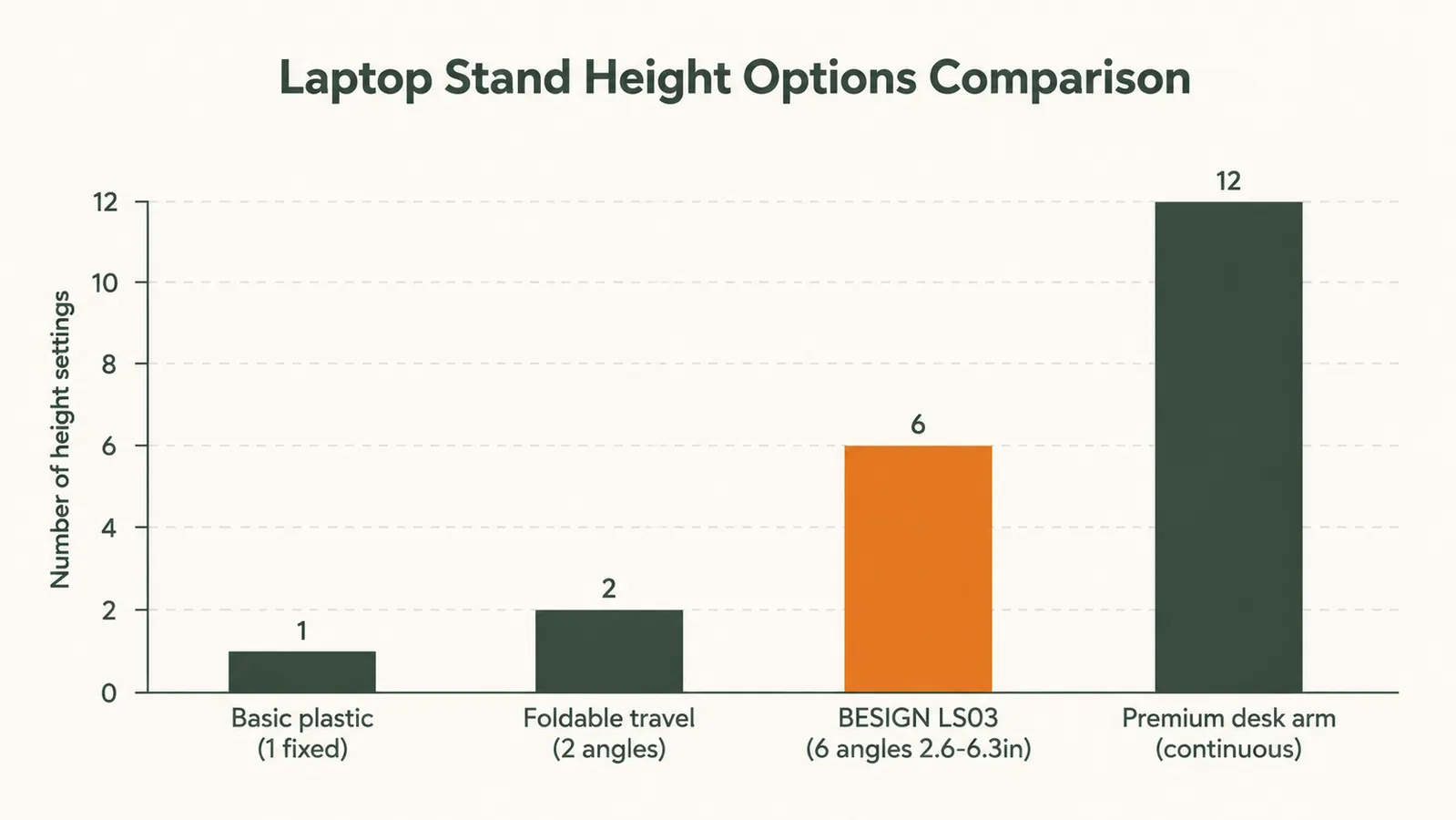
The LS03 advertises adjustable height, but it is worth being precise about what that means. There is a single adjustable hinge that changes the tilt angle of the platform, which in turn raises or lowers how high the front edge of the laptop sits. You are not choosing from a set of discrete height notches. You are continuously adjusting one hinge angle. In practice, most people find one angle that works and leave it there, which is exactly what I did.
At the angle I use, the front edge of the MacBook is about 3 inches off the desk and the back edge is about 6 inches off the desk. That brings the top of the screen to within 1.5 inches of my eye level when I am sitting in my chair with my feet flat on the floor. That is close enough to eliminate the forward head posture that was causing the problem. If you are significantly taller or shorter than 5'10", you may need to combine this stand with a chair adjustment to hit the ideal screen height. The stand alone is not infinitely customizable.
One limitation worth naming: the LS03 does not have side-to-side tilt adjustment. The platform tilts on one axis only, which handles the vertical height problem but does not address angled screen use for people who prefer the laptop slightly off-center. For most home office setups this is not a real issue, but if you use a multi-monitor setup and want the laptop angled to the side, this stand will not do that.
Ventilation and Heat
The platform is not a solid shelf. It has a large cutout that exposes the bottom of the laptop to air. On my MacBook Air, which has no fan and relies entirely on passive cooling, this matters. Before the stand, the underside of the laptop would get warm after an hour of moderate work. On the stand, with air able to circulate underneath, the machine runs noticeably cooler. I cannot give you exact temperature numbers because I did not run benchmark tests, but the practical result is that the laptop sustained higher performance for longer on tasks like video exports and large spreadsheets.
If you use a laptop that actively throttles performance under heat, a stand that lifts the machine off the desk and allows airflow underneath is a meaningful upgrade, not just an ergonomic one. The LS03 handles this correctly.

Portability and the Travel Angle
The stand folds completely flat. When folded, it is about the same thickness as a hardcover book and weighs 14.5 ounces. I have carried it in the laptop sleeve of my bag with no issue. At a coffee shop, I set it up in about five seconds. At a hotel desk, same. The portability is a real advantage if you work in multiple locations.
The one thing to note about travel: the aluminum surface picks up fingerprints and minor scratches easily. After the first few weeks in my bag it had a few small surface marks. None of them affect function, but if you are particular about aesthetics, you will want to keep it in a sleeve or soft pouch. I stopped caring about the scratches after week three.
What Changed After Seven Months
The neck and shoulder tightness I used to feel by 3pm is largely gone. I would say it went from a daily occurrence to a once-a-week occurrence, and usually only on days when I am also on the phone a lot and not looking at the screen in the same position. The stand is not the only change I made. I also started taking a short walk at lunch. But the stand was the first change, and the improvement was noticeable within the first week before I added anything else.
Something I did not expect: I became more deliberate about my external keyboard and mouse setup because the stand made them necessary. Once the laptop screen is elevated, you cannot type on the laptop keyboard without raising your arms awkwardly. So the stand essentially forced me to commit to a proper external keyboard and mouse. That was a better outcome than I originally planned for. If you are going to use this stand, budget for an inexpensive wired or wireless keyboard alongside it. The stand and keyboard together are still budget-friendly.
For a deeper look at how a laptop stand fits into a full ergonomic workstation setup, the guide on building an ergonomic laptop workstation covers keyboard position, monitor height, chair adjustments, and the right order to tackle each upgrade. And if you are weighing whether a stand is the right move versus a full monitor arm setup, the laptop stand vs monitor arm comparison breaks down the real trade-offs for people who use a laptop as their main machine.
What I Liked
- Solid single-piece aluminum construction with no flex or wobble
- Hinge stays firm after seven months of daily use with no loosening
- Rubber grip pads are molded in, not glued, so they do not peel
- Open platform cutout improves laptop cooling noticeably
- Folds completely flat and weighs under a pound, genuinely portable
- 23,000+ Amazon reviews at 4.8 stars backs up the build quality
Where It Falls Short
- Only adjusts on one axis, no side-to-side tilt for angled placement
- Requires an external keyboard and mouse once screen is elevated
- Aluminum surface picks up scratches in a bag without a protective sleeve
- Height range is limited by one hinge angle, not discrete height steps

Who This Is For
The BESIGN LS03 is the right buy if you use a laptop as your primary work computer, you sit at a desk for more than four hours a day, and you already have or are willing to get an external keyboard and mouse. It is also worth it if you travel with your laptop regularly and want ergonomic height away from home. The price is low enough that even if your posture situation is mild, the investment is trivial. Anyone working from home who has not addressed laptop screen height yet should start here.
Who Should Skip It
Skip this stand if you use your laptop in clamshell mode with an external monitor already, because the stand serves no purpose in that configuration. Skip it if your primary need is angled or rotated positioning, such as placing a laptop at 45 degrees to face a standing area to the side of your desk. And skip it if you are looking for a stand with precise, numbered height positions you can dial in exactly. The single hinge works fine for most people, but it is not an engineering tool. If precise repeatability across positions matters to you, look at a stand with discrete height notches instead.
Seven months later, I still reach for this stand every morning before I open my laptop.
The BESIGN LS03 is budget-friendly, built from solid aluminum, and has 23,000+ reviews at 4.8 stars. It is the simplest fix for laptop neck pain I have ever tried.
Amazon Check Today's Price on Amazon →