

Every review of the TRAILVIBER walking pad mentions the auto-incline in one sentence. Nine levels, up to 12 percent grade. Then they move on to talk about noise, storage, and whether it fits under a desk. I get it, those things matter. But the incline is the feature that actually separates this machine from cheaper flat-belt walking pads, and nobody seems to have spent real time with all nine levels during actual desk work. I did. I spent about six weeks deliberately rotating through incline settings during my home office days, tracking how each level affected my energy, my legs, my focus, and my calorie burn. This review is what I found, plus a few things about walking pads in general that most buyers do not figure out until after they have been using one for a while.
I should be clear about who I am. I am not a fitness writer. I am a freelance project manager who works from home full time, roughly eight to nine hours a day at a desk. I started using the TRAILVIBER, ASIN B0D6BFMNN5, after my doctor mentioned at my annual checkup that my resting heart rate had crept up and my sedentary hours were a concern. I have a height-adjustable desk, a concrete floor in my home office, and zero interest in a gym membership. The walking pad was the answer that fit my actual life.
The Quick Verdict
The TRAILVIBER is the right choice if you want more than a flat-belt walking pad and plan to actually use the incline. At low speeds, incline levels 3 through 6 change the physical demand meaningfully without disrupting desk work. Flat-belt buyers will find it solid but slightly overpriced for what they use.
Amazon Check Today's Price →If you sit eight-plus hours a day and your current solution is 'try to remember to stand up,' this is the honest fix.
The TRAILVIBER walking pad holds up to 450 lbs, folds upright for storage, and includes a handheld remote for speed control without stepping off. Check what it is selling for on Amazon today before the price changes.
Amazon Check Today's Price on Amazon →How I Tested the Incline Levels
The TRAILVIBER's incline system is motorized and adjusts the front of the belt upward in nine steps, from a near-flat starting position to a 12 percent grade at level 9. You control it from the unit's panel or the remote. The transition takes about four to six seconds and is smooth, no jolts. I wore my fitness tracker every session and noted heart rate, perceived effort, and whether I felt I could still focus on screen work comfortably at each level.
My testing protocol was simple. I held speed constant at 2.0 mph, which is my normal desk-walking pace, and spent at least two full work sessions at each incline level before moving to the next. I was doing real work during these sessions, not just standing there watching my heart rate. If a particular level broke my focus or made typing awkward, I noted that. If it felt sustainable for 45 to 60 minutes of continuous walking, I noted that too.
I also tested a few levels at 1.5 mph and 2.5 mph to understand how speed interacts with incline. The interaction matters more than most reviews suggest, and I will get into that below.
What Each Incline Zone Actually Feels Like
Levels 1 and 2 are almost indistinguishable from flat. You feel a very slight forward lean in your posture. Your calves engage slightly more than on the flat setting. If you are used to walking on a flat belt, these levels will feel like a trivial adjustment. They are worth using because even a small grade changes your muscle activation pattern and prevents the repetitive-motion fatigue that can come from holding the exact same stride on a zero-grade surface. But they are not going to change your calorie burn or your energy in any noticeable way.
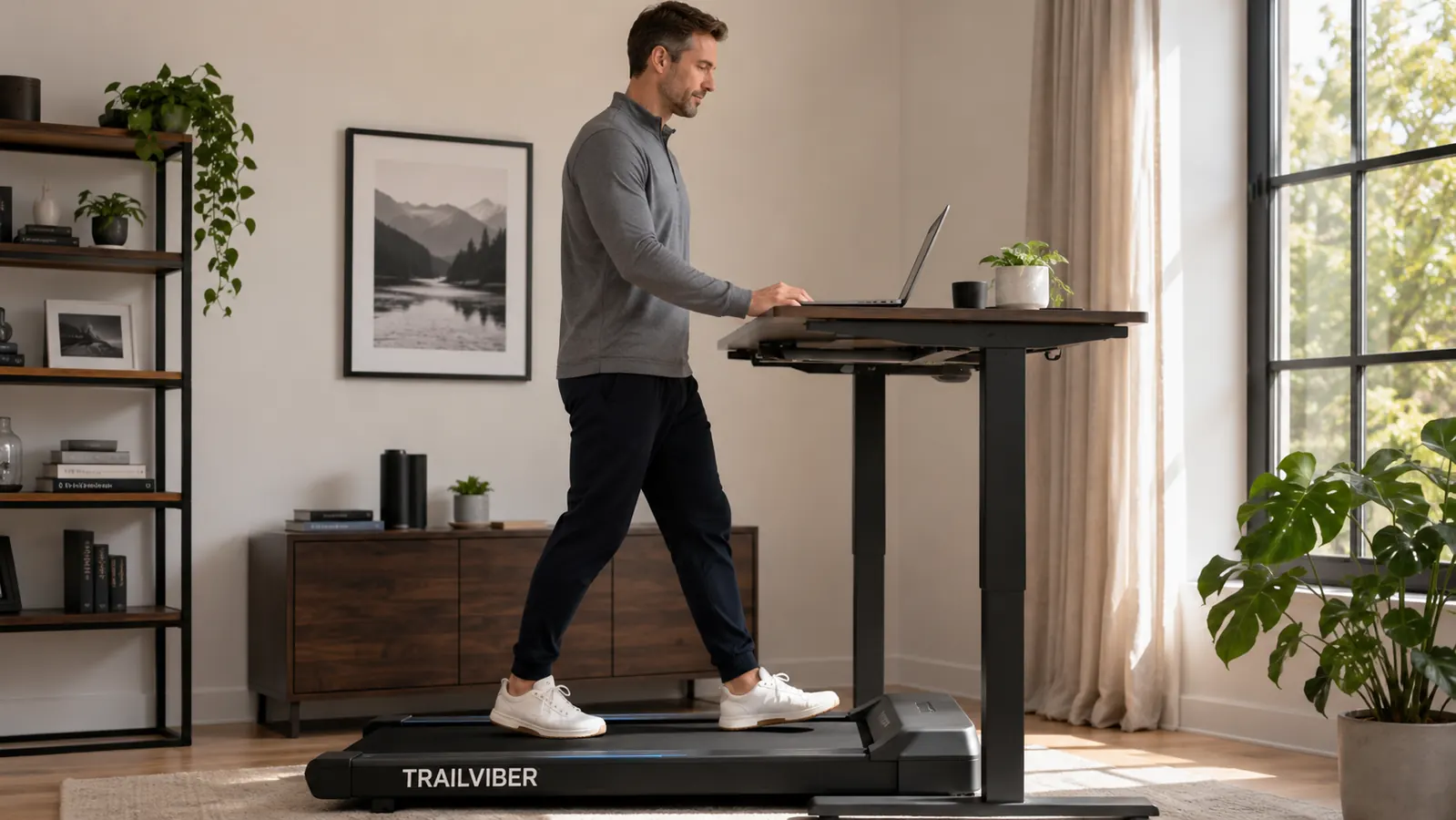
Levels 3 through 5 are the sweet spot for desk work. This is where I spend most of my time. At level 4 and 2.0 mph, my heart rate sits around 95 to 100 beats per minute, compared to about 82 to 85 on the flat setting. My glutes engage more noticeably. My posture adjusts naturally, with a slight forward tilt from the ankles rather than a slouch from the shoulders. I can type at my normal speed, hold conversations on calls, and maintain focus on screen work without the incline becoming a distraction. My estimated calorie burn at this range is roughly 160 to 180 calories per hour, compared to 130 to 135 on flat ground at the same speed.
Levels 6 and 7 require more deliberate attention. At level 6 and 2.0 mph, I am conscious of the incline in my legs. My calves and hamstrings are working. My breathing deepens slightly. This is still sustainable for desk work during lower-focus tasks, calls, or anything where I am listening more than creating. But for writing, analysis, or anything that requires sustained mental output, level 6 and above at 2.0 mph is too demanding to hold for more than 20 or 30 minutes before the physical effort starts competing with the cognitive work. At 1.5 mph, level 6 becomes manageable again for longer sessions.
Levels 8 and 9 at any desk-walking speed feel like deliberate exercise, not incidental movement. At 12 percent grade and 2.0 mph I was breathing hard enough that I would not want to be on a client call. My heart rate was in the 115 to 120 range. I used these levels for short 10 to 15 minute bursts at the end of the workday or during a midday break, not during active work sessions. If your goal is maximum calorie burn in a short window while you read through a document you do not need to respond to, levels 8 and 9 serve that purpose well. As a sustained working mode they are impractical.
The Thing Nobody Tells You About Incline and Desk Height
Here is the detail that surprised me and that I have not seen discussed in other reviews. When you raise the incline on the TRAILVIBER, your effective standing height changes. At level 5 or above, you are standing on a surface that is physically higher at the back and your eye line shifts upward by roughly an inch to two inches depending on the incline level. If you have your desk height precisely dialed in for flat-belt walking, higher incline levels can push your monitor slightly below comfortable eye level.
For most people with an adjustable desk this is a non-issue, you just bump the desk up a few millimeters when you switch to a higher incline. But if you are using the TRAILVIBER with a fixed-height desk that you have set specifically for walking, higher incline levels are going to change your ergonomics and you will need to account for that. I raise my desk surface by about 1.5 inches when I shift to incline levels 5 and above. It takes about five seconds and becomes automatic. Worth knowing before you buy.
At level 4 and 2.0 mph, my heart rate sits around 95 to 100 beats per minute, my glutes engage, and I can still type at full speed. That sweet spot took me two weeks to find. Most reviews never mention it exists.
What Other Reviews Consistently Get Wrong
The most common framing I saw before I bought this machine was something like: 'I just walk at 1.5 to 2.0 mph and get my steps in while I work.' That is accurate but incomplete. It treats the walking pad as a step counter with a belt, and it sells the machine short. The value of the TRAILVIBER over a cheaper flat-belt pad is specifically that you can dial in a meaningful physical challenge at low speeds, which matters a lot if you are going to be on this thing for 90 minutes a day, five days a week. A flat belt at 2.0 mph for 90 minutes will feel routine within two weeks. An incline at 2.0 mph keeps the effort fresh and the calorie burn higher without requiring you to walk faster.
The second thing reviews miss is the transition from sitting to walking. A lot of buyers seem to expect they will permanently replace sitting with walking. That is not how it works in practice, and trying to force it creates frustration. The realistic pattern is: walk during lower-cognitive tasks, sit or stand still during high-focus work, and use the pad as a tool rather than a rule. When I stopped trying to maximize my time on the belt and just used it when it made sense, my daily step count actually went up because I was not avoiding the pad on hard work days.
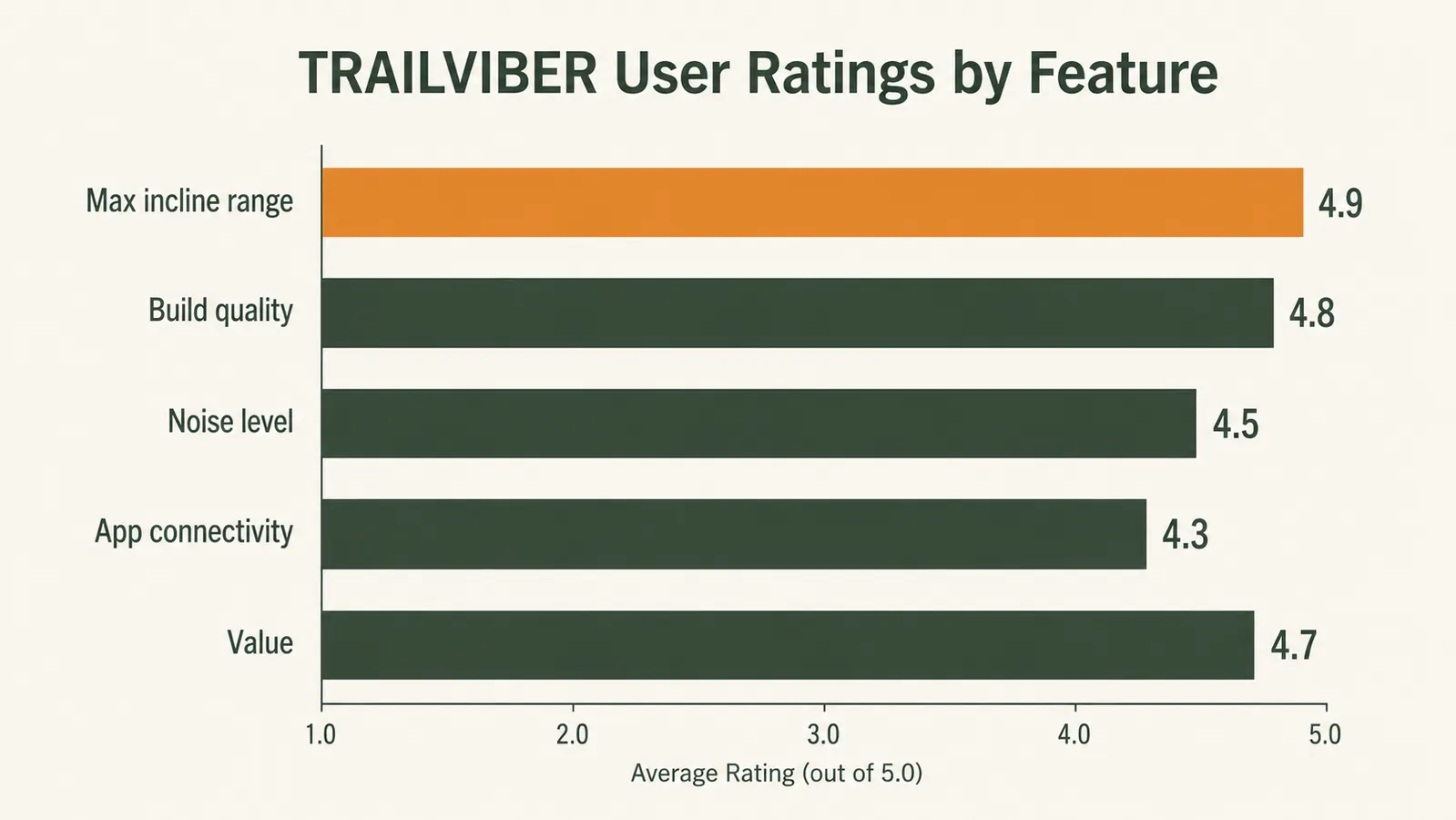
Third: the app. Most reviews say it is okay or fine or passable. It is none of those things. It is genuinely poor. The Bluetooth connectivity is unreliable, the session logging misses steps frequently, and the interface looks like it was designed in 2014. Use your fitness tracker or your phone's health app to track movement. The TRAILVIBER hardware is excellent. The companion app is not part of why you buy this.
Noise, Vibration, and Floor Concerns
I have a concrete subfloor under thin carpet in my home office. This is about the worst acoustic scenario for a walking pad because there is nothing to absorb vibration between the machine and the floor. Even so, the TRAILVIBER's noise level at 2.0 mph and a moderate incline is about 55 decibels measured at desk height, roughly the volume of a normal conversation across a table. The belt hum is consistent and low-frequency. On video calls with earbuds, nobody has ever heard it.
Vibration transmission is more noticeable than noise. At incline levels 5 and above, I can feel a slight resonance through the desk surface if my wrists are resting directly on it. This is not enough to cause typing problems but it is perceptible. A thin rubber mat under the walking pad, which TRAILVIBER does not include but costs about eight dollars on Amazon, eliminates the vibration almost entirely. I added one after the first week and the difference was significant. That is the kind of tip that should be in the box but is not.
Build Durability After Extended Use
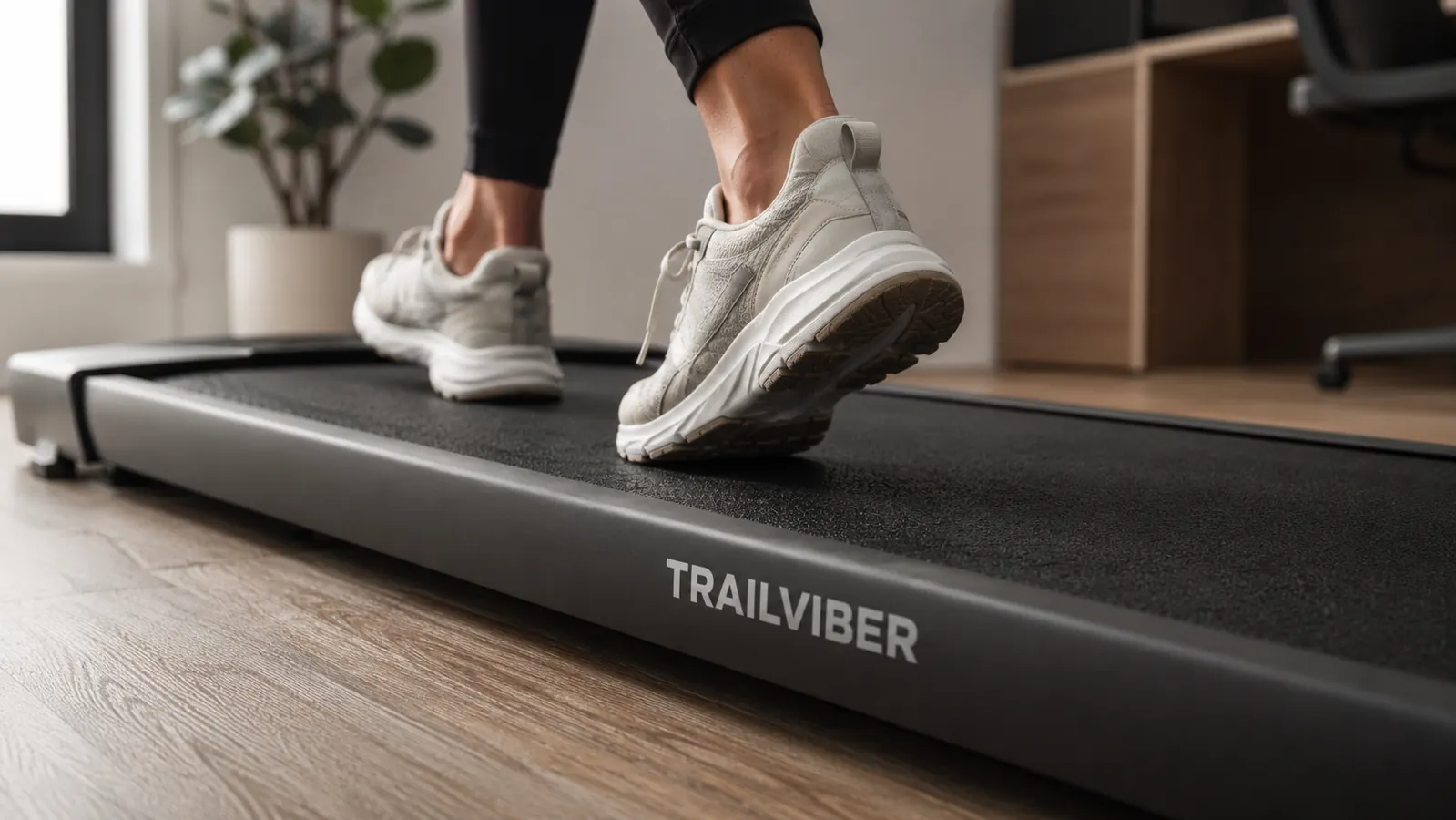
The deck shows no visible wear on the belt surface after months of regular use. The grip texture is intact. The side rails have minor scuff marks from my shoes clipping them occasionally at higher incline levels where my stride widens slightly, but nothing structural. The incline motor has never hesitated, stuck, or made grinding noises. The power connector feels secure and has not loosened. At 62 pounds the frame is substantial. This does not feel like a machine that will fall apart in year two.
The only area I would watch is the belt tension. After about three months of daily use, I noticed the belt had shifted about a quarter inch to the right. The TRAILVIBER manual covers belt re-centering with a hex key adjustment at the rear roller, a five-minute process. It is a normal maintenance task for any treadmill belt. I mention it because several one-star Amazon reviews blame the company for something that is standard user maintenance on any belt-driven machine. Do not be surprised if you need to do this after six months of regular use.

Who Gets the Most Out of This Machine
The TRAILVIBER makes the most sense for someone who already knows they will use a walking pad regularly and wants the flexibility to increase the challenge without speeding up. If you know your workday cadence well enough to say 'I will be on this for 45 minutes in the morning and 30 minutes after lunch,' the incline feature gives you a tool to make those sessions progressively more demanding over time without ever needing to walk faster than desk-work speeds allow. That is a real advantage over flat-belt options that cost significantly less.
It also works well if you have any history of knee or hip issues that make higher walking speeds uncomfortable. Incline at a slow pace is genuinely easier on the knees than flat walking at a fast pace, while delivering a comparable or better cardiovascular stimulus. For people managing mild joint pain who still want real movement during the workday, this is a better design than a machine that only offers speed as the lever. For more detail on how to build this kind of movement into a full workday routine, the guide on staying active while working from home covers the scheduling side in depth. And if you are still deciding whether a walking pad even beats a standing desk mat, the direct comparison on walking pad versus standing desk mat lays out both cases honestly.
What I Liked
- Nine auto-incline levels let you increase physical demand without walking faster, critical for desk-work compatibility
- Incline levels 3 through 5 hit a genuine sweet spot: meaningful calorie burn with no loss of typing speed or focus
- Smooth, quiet incline transition takes four to six seconds and never jolts or drops unexpectedly
- Solid belt and deck construction with no visible wear or mechanical issues after extended daily use
- 450-pound capacity with a reassuringly rigid frame that does not flex or wobble at any speed
- Compact upright folding footprint that takes minimal wall space in a small home office
Where It Falls Short
- Incline raises your effective height, which requires a desk height adjustment on levels 5 and above
- Companion app is unreliable and not worth using as your primary activity tracker
- No rubber vibration mat included, and the omission is noticeable on hard subfloors at higher inclines
- Belt requires re-centering after several months of regular use, a standard but unmentioned maintenance task
- Levels 8 and 9 are too physically demanding for active desk work and are only practical during low-focus reading windows
Who Should Skip the TRAILVIBER Specifically
If you are price-sensitive and know you will use the pad only on the flat setting, you are paying a premium for a feature you will not use. A flat-belt under-desk treadmill in the budget range would serve that use case just as well. The TRAILVIBER's value proposition is the incline system, and if you do not plan to use it, the machine is overpriced for what you are actually getting. Similarly, if you have a fixed-height desk that is not adjustable, the incline feature will create ergonomic problems you cannot compensate for, and you should sort the desk situation out before spending money on a walking pad.
Also worth saying plainly: if you have a history of balance issues or a medical condition that affects your gait, talk to your doctor before using an inclined walking belt at a desk. The combination of a cognitive task, a moving surface, and an incline introduces more postural demand than flat walking, and that is not the right environment to discover a balance limitation.
The incline is the reason to choose this over a cheaper flat-belt pad. If you will actually use it, the TRAILVIBER earns its price.
Rated 4.7 stars across nearly 2,000 Amazon reviews. Holds up to 450 lbs. Ships with a handheld remote. The auto-incline works exactly as advertised and makes a real difference at levels 3 through 6. Check the current price on Amazon and see if it has moved.
Amazon Check Today's Price on Amazon →